The Story
Microsoft Visual Studio Professional 2022 - Perpetual License
Visual Studio Professional 2022 is a fully featured development environment that developers around the world know and love. Our first 64-bit IDE makes it easier to work with even bigger projects and more complex workloads. Enhance your productivity, write high-quality code, and re-imagine collaboration with an advanced suite of tools and built-in integrations to tackle the most challenging development workflows and deliver innovative apps.

Code faster, work smarter
Create the future with Visual Studio Professional 2022.
- 64-bit IDE scales to any project
- Develop apps for modern platforms
- AI-powered code completions
- Shared coding sessions, in real time
Build across languages and platforms
Develop cross-platform mobile and desktop apps with .NET MAUI. Build responsive Web UIs in C# with Blazor. Build, debug, and test .NET, and C++ apps in Linux. Use hot reload capabilities across .NET and C++ apps. Edit running ASP.NET pages in the web designer view.
Type less, code more
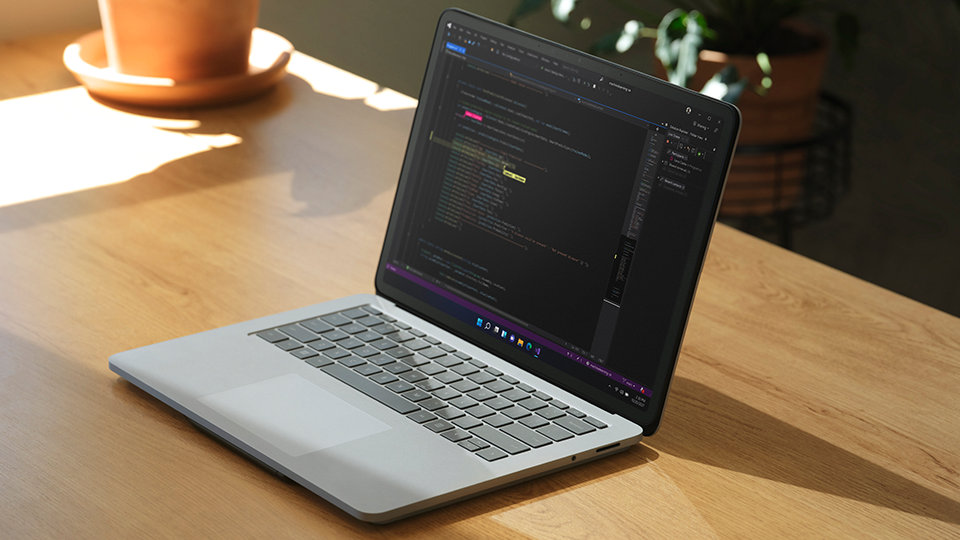
IntelliCode is a powerful AI-assisted development tool that understands your code context: variable names, functions, and the type of code you’re writing. It can complete a line or block of code and provide a list of next best options, helping you code more rapidly and accurately.

Deep insights into your code
CodeLens surfaces important insights, like whether changes were made, who made the changes, and types of changes (such as if you’ve run unit testing on your method). References, authors, tests, and commit history are presented to guide you toward the most informed decisions.

Share more than screens
Live Share’s real-time collaboration sessions speed up your team’s edit and debugging cycles, no matter the language or platform. Personalized sessions with access controls and custom editor settings make sure everyone’s code stays consistent.

Get ready to ship and deploy to the cloud
Stop problems before they’re problems
Integrated debugging is a core part of every Visual Studio product. You can step through your code and look at the values stored in variables, set watches on variables to see when values change, examine the execution path of your code, and just about anything else you need to check out under the hood.
Instant impact with testing
Analyze how much code you’re testing and see immediate results in a test suite that’s been optimized for efficiency. Know the impact of every change you make with advanced features that test code as you type. With WSL integration, you can test on both Windows and Linux to make sure your app runs everywhere.
Azure deployment
Deploying to the cloud gets even easier. We supply all the templates you’ll need for common app types and local emulators. You can stay in Visual Studio to provision dependencies, like Azure SQL databases and Azure Storage accounts. And diagnose issues quickly with the remote debugger attached to your app.
Integrated version control
Visual Studio has built-in support for Git version control to clone, create, and open your own repositories. The Git tool window lets you commit and push changes to code, manage branches, and resolve merge conflicts. If you have a GitHub account, you can manage those repos directly within Visual Studio.
Specifications:
Product: Visual Studio Professional 2022
Brand: Microsoft
Type: Perpetual License
Description
Microsoft Visual Studio Professional 2022 - Perpetual License
Visual Studio Professional 2022 is a fully featured development environment that developers around the world know and love. Our first 64-bit IDE makes it easier to work with even bigger projects and more complex workloads. Enhance your productivity, write high-quality code, and re-imagine collaboration with an advanced suite of tools and built-in integrations to tackle the most challenging development workflows and deliver innovative apps.
Code faster, work smarter
Create the future with Visual Studio Professional 2022.
- 64-bit IDE scales to any project
- Develop apps for modern platforms
- AI-powered code completions
- Shared coding sessions, in real time
Build across languages and platforms
Develop cross-platform mobile and desktop apps with .NET MAUI. Build responsive Web UIs in C# with Blazor. Build, debug, and test .NET, and C++ apps in Linux. Use hot reload capabilities across .NET and C++ apps. Edit running ASP.NET pages in the web designer view.
Type less, code more
IntelliCode is a powerful AI-assisted development tool that understands your code context: variable names, functions, and the type of code you’re writing. It can complete a line or block of code and provide a list of next best options, helping you code more rapidly and accurately.
Deep insights into your code
CodeLens surfaces important insights, like whether changes were made, who made the changes, and types of changes (such as if you’ve run unit testing on your method). References, authors, tests, and commit history are presented to guide you toward the most informed decisions.
Share more than screens
Live Share’s real-time collaboration sessions speed up your team’s edit and debugging cycles, no matter the language or platform. Personalized sessions with access controls and custom editor settings make sure everyone’s code stays consistent.
Get ready to ship and deploy to the cloud
Stop problems before they’re problems
Integrated debugging is a core part of every Visual Studio product. You can step through your code and look at the values stored in variables, set watches on variables to see when values change, examine the execution path of your code, and just about anything else you need to check out under the hood.
Instant impact with testing
Analyze how much code you’re testing and see immediate results in a test suite that’s been optimized for efficiency. Know the impact of every change you make with advanced features that test code as you type. With WSL integration, you can test on both Windows and Linux to make sure your app runs everywhere.
Azure deployment
Deploying to the cloud gets even easier. We supply all the templates you’ll need for common app types and local emulators. You can stay in Visual Studio to provision dependencies, like Azure SQL databases and Azure Storage accounts. And diagnose issues quickly with the remote debugger attached to your app.
Integrated version control
Visual Studio has built-in support for Git version control to clone, create, and open your own repositories. The Git tool window lets you commit and push changes to code, manage branches, and resolve merge conflicts. If you have a GitHub account, you can manage those repos directly within Visual Studio.
Specifications:
Product: Visual Studio Professional 2022
Brand: Microsoft
Type: Perpetual License